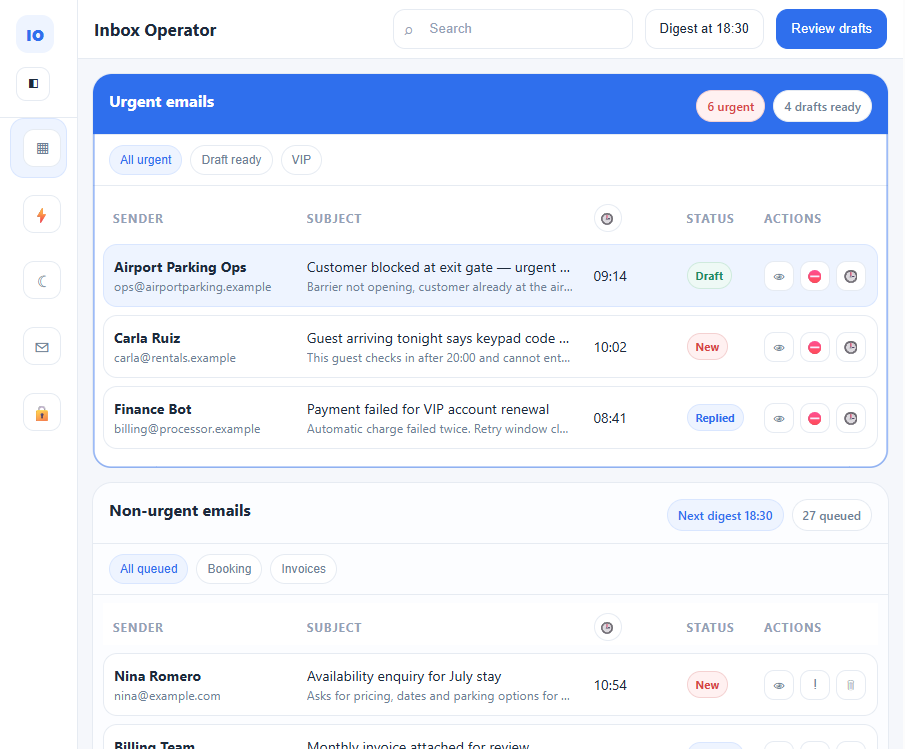
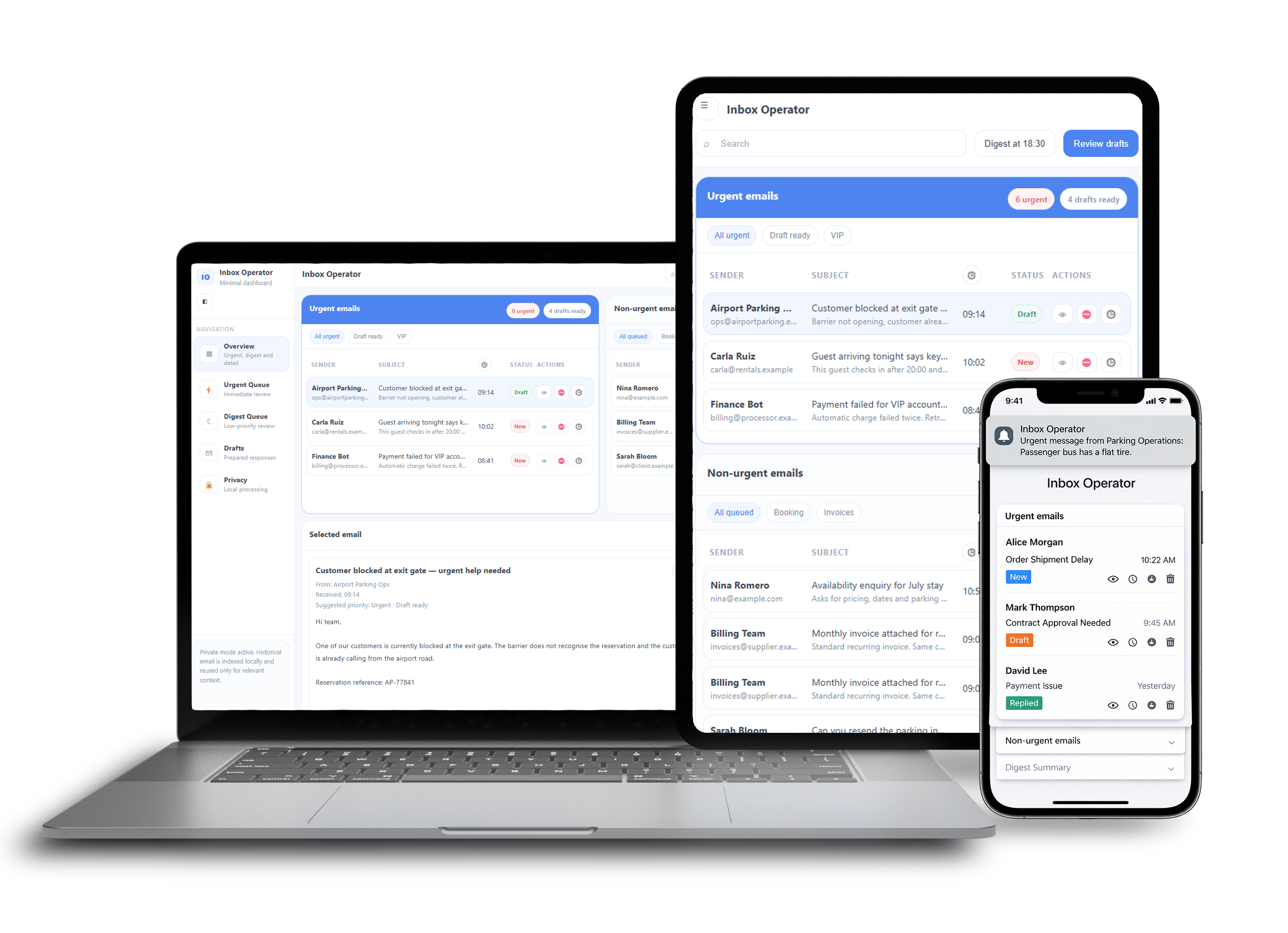
Turn your inbox into an organised action queue.

Inbox Operator reads incoming email, detects urgency, suggests the next action or reply, and only escalates when needed. It is designed for entrepreneurs, managers and teams who want less inbox chaos and fewer distractions, while still keeping full control over important emails.

Works with Google Workspace and Microsoft 365 inboxes
Suggests replies using relevant historical email context
Provides morning and/or end-of-day "digests" of non-urgent emails
Escalates urgent emails directly to your mobile

Spend less time in your inbox.

With Inbox Operator — powered by its privacy-first, offline AI engine — incoming emails are analyzed in the context of past conversations and intelligently prioritised. Low-priority messages are bundled into scheduled daily digests, while urgent emails are brought to your attention immediately. The result: you focus only on what truly matters — saving you hours of work, every week.

Request pilot access
The problem

Too much email. Too little clarity.

In many organisations, email quietly becomes the place where everything happens. Booking requests, supplier questions, customer issues, invoices and internal decisions all land in the same inbox. Over time, this creates a familiar pattern: no clear overview, constant interruptions, urgent messages getting buried and far too much time spent replying to the same questions again and again.

01
No clear overview
Important requests, routine questions and automated notifications all live in the same inbox, making it difficult to see what actually requires attention.
02
Constant inbox distraction
New emails keep pulling attention away from real work. Instead of focusing on decisions and priorities, teams constantly check and re-check their inbox.
03
Urgent emails get buried
Important messages can easily disappear between routine emails, newsletters and automated notifications — especially during busy periods or outside office hours.
04
Too much time spent replying
Teams repeatedly answer the same questions, rewrite similar replies and search through old emails to remember how something was handled before.
The solution

Your inbox, intelligently organised.

Inbox Operator turns incoming email into an actionable queue. It reads new email, classifies urgency and intent, checks for useful historical context, suggests the next action or reply, and escalates only when needed. Low-priority emails are grouped into scheduled digests — keeping distractions low. High-priority emails trigger an immediate prompt on your mobile.

1
Reads incoming email
Connects to Gmail / Google Workspace or Microsoft 365 and monitors new, incoming emails while you focus on other things.
2
Classifies intent
Detects what the email is about by evaluating urgency & intent, and determines what kind of follow-up is likely needed.
3
Finds relevant history
Uses local historical email data to retrieve similar cases, prior actions and reply patterns. Keeps track of conversations.
4
Suggests action or reply
Determines the next step, then either queues the email for digest review or escalates it immediately.

Automation without losing control.

Inbox Operator isn't just another auto-reply bot. It adds an intelligent operational layer to your inbox — reducing interruptions and improving prioritisation, while keeping important business workflows firmly under your control.

See if your inbox is a fit
Privacy-first by design

Built for privacy-sensitive businesses

Many organisations want the benefits of automation, but sending sensitive email data to a cloud-based AI provider is just not an acceptable option. Inbox Operator is built around a privacy first processing model: historical email is parsed and indexed once, stored securely in a private, offline environment, and then reused to retrieve relevant context needed for future decisions.

Historical inbox parsing happens once, with incremental updates over time.
Your emails are never sent to the Cloud or to external AI models.
All intelligent processing and decision logic runs locally in a highly protected environment.

Privacy-First Processing Model Explained

Step 1
Setup
Connect your inbox. Historical email is indexed once and stored securely in a private environment.
Step 2
Analysis
Each new email is analyzed and matched against relevant past context — all processed locally.
Step 3
Decision
Urgency and intent are evaluated, and the next step is determined using local AI models.

Stop Wasting Time on Email

Inbox Operator reduces inbox overload by automatically prioritising incoming email, grouping routine messages into a digest and escalating urgent issues immediately. Request pilot access, today.

Request pilot access
Request Early Access

Have we sparked your interest?

We are speaking with a limited number of businesses and organizations that want to reduce manual inbox work, improve prioritisation and keep sensitive email handling under control.

1
Tell us what kind of inbox you want to automate.
2
We assess whether the workflow is a good fit.
3
If there is a match, we discuss a pilot setup.